

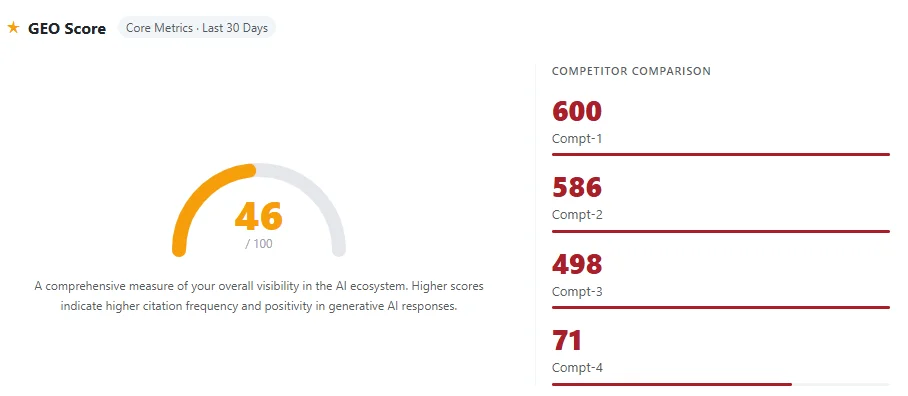
AIPO Audit is a GEO (Generative Engine Optimization) auditing system that helps you detect your brand's presence and visibility in responses from major AI platforms (GPT, Gemini, Perplexity, Doubao, Deepseek, etc.). This guide walks you through the four-step backend setup, and after completing the configuration, you can generate audit results in about one minute.
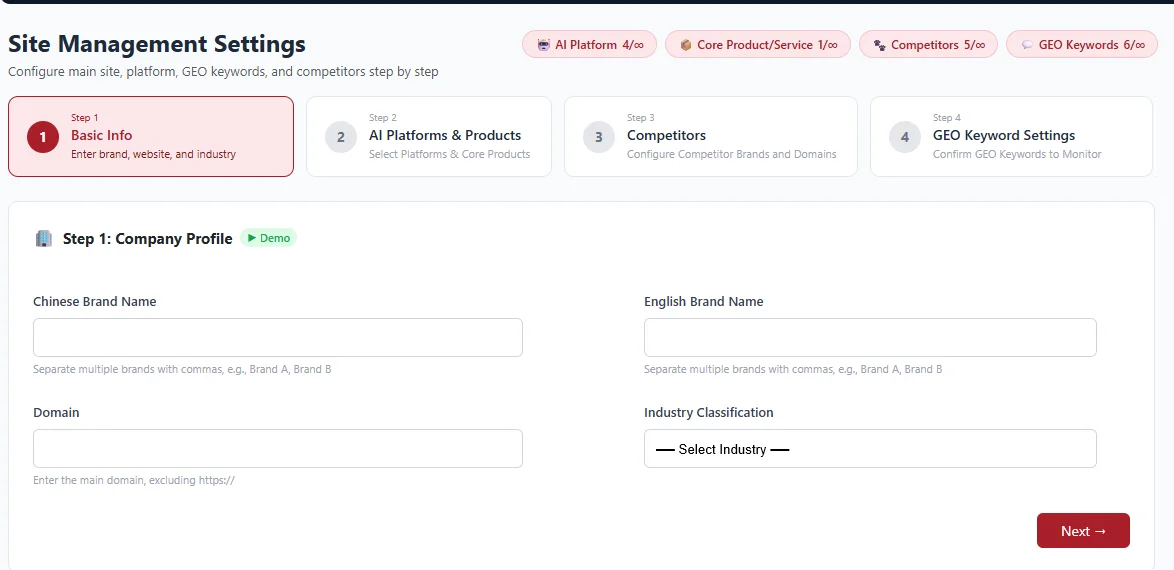
Step 1: Basic Information
Fill in your brand's basic details so the system can accurately identify your audit target.
- Brand Name (Chinese / English): Enter your brand name. Multiple brands are supported; separate them with commas (e.g., Brand A, Brand B).
- Domain: Enter your primary domain, without https://
- Industry: Select the industry your brand belongs to.
Step 2: AI Platforms & Core Products
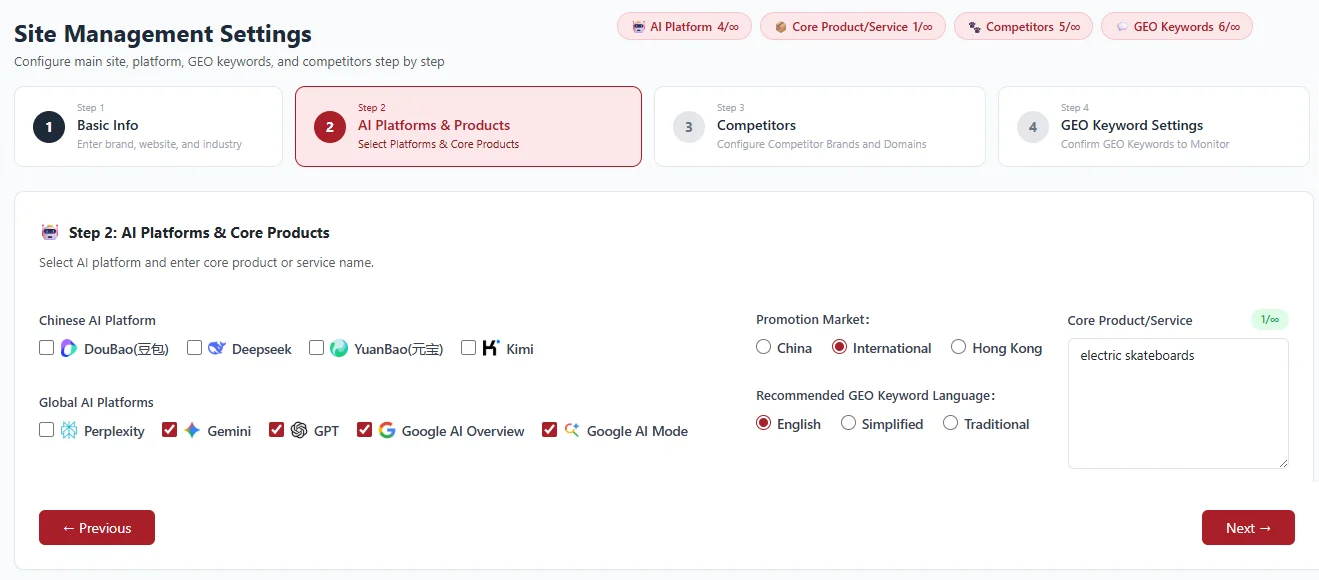
Select the AI platforms you want to monitor, and set your target market, query language, and core products.
- Select AI Platforms: Check the platforms you wish to monitor. For China: Doubao, Deepseek, Yuanbao, Kimi; for Global: Perplexity, Gemini, GPT, Google AI Overview, Google AI Mode.
- Target Market: Choose 'China / Global / Hong Kong' based on your target market.
- Recommended GEO Query Language: Select the language for audit queries: 'English / Simplified Chinese / Traditional Chinese'.
- Core Products / Services: Enter the main products or services you want to promote (e.g., electric skateboards).
Step 3: Competitors
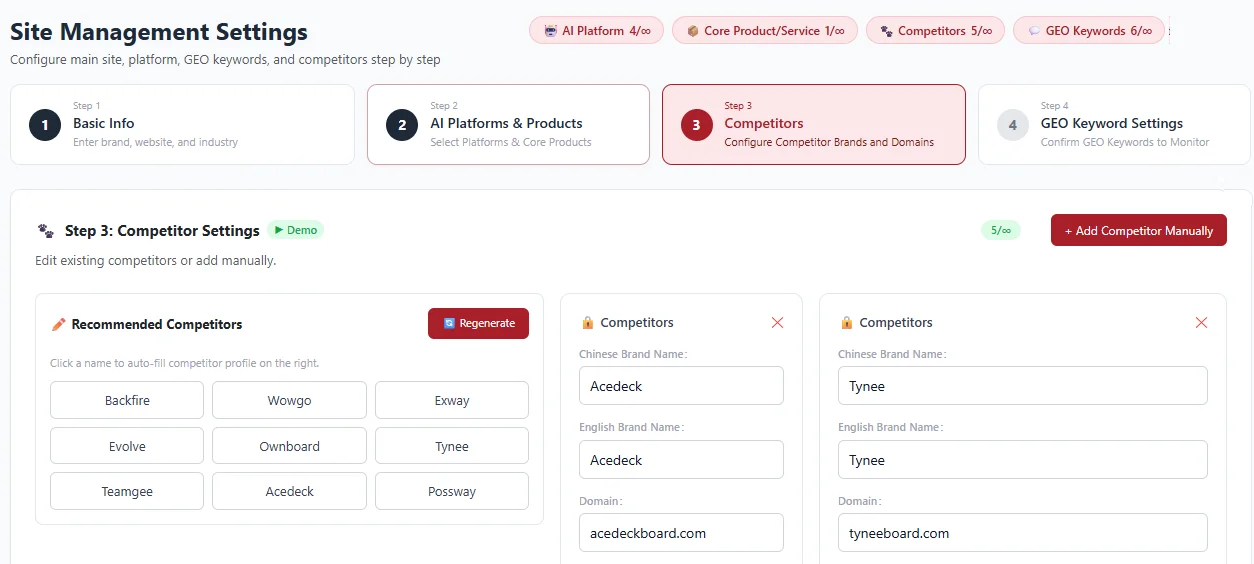
Set the competitors you want to benchmark against. The system will compare your brand with them in the audit results.
- Adopt Recommended Competitors: The system automatically recommends a list of competitors by category. Click a competitor's name to auto-fill their details.
- Regenerate: If you are not satisfied with the recommendations, click 'Regenerate' to get a new list.
- Add Manually: Click 'Add Competitor Manually' and fill in the competitor's Chinese brand name, English brand name, and domain.
Step 4: GEO Keywords Setup
Manage the questions real users might ask an AI. The system will use these queries to audit your brand's visibility.
- Auto-Generate: The system can generate sets of GEO queries by topic, e.g., 'Best Recommendations', 'Best Value Options', 'Performance & Battery Comparison', 'Safety & Build Quality', 'After-Sales & Maintenance'.
- Edit Query Groups: You can freely add or remove questions within each group. You can also click 'Add GEO Query Group' to create an entirely new set.
Tip: The more closely your queries reflect real user purchase decision scenarios, the more valuable your audit results will be.
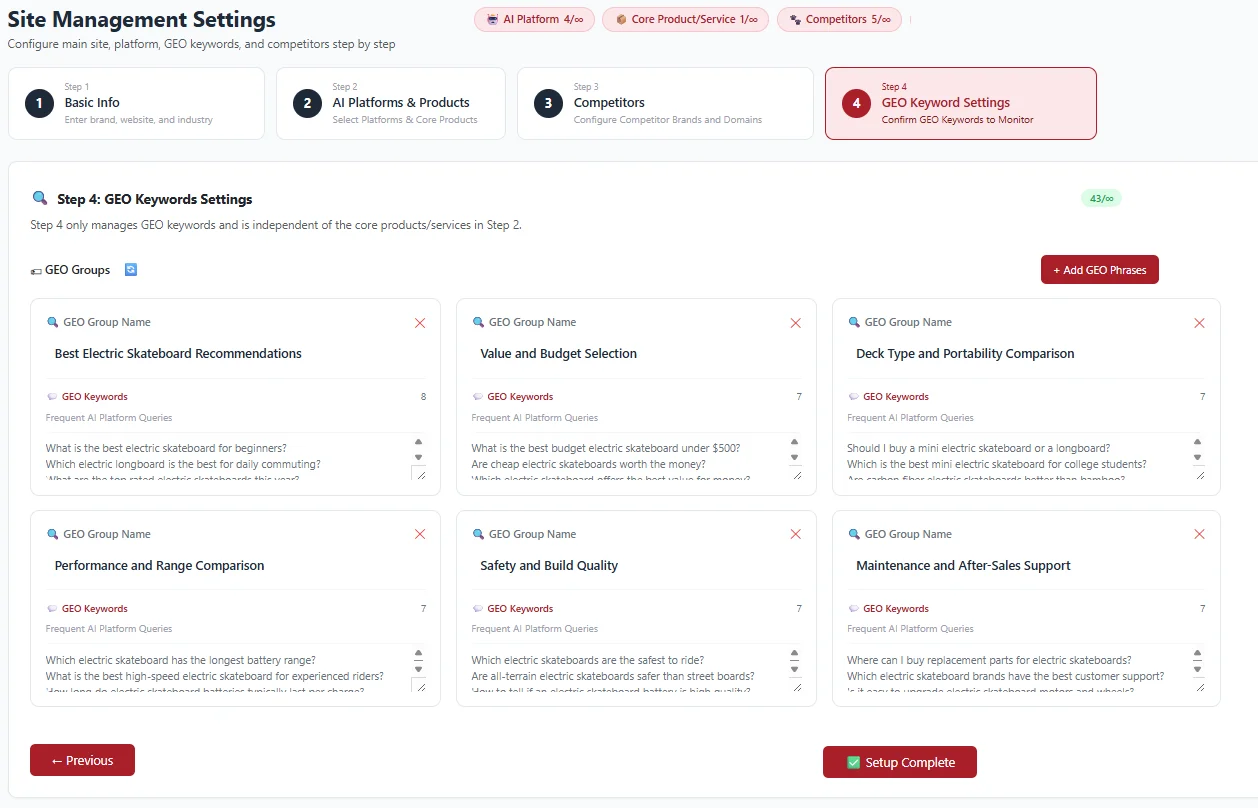
Complete Setup & Generate Your Report in One Minute
After completing the four-step configuration, click 'Finish Setup'. In about one minute, the system will generate a GEO audit report showing your brand's mentions across different AI platforms, visibility comparisons with competitors, and more.
