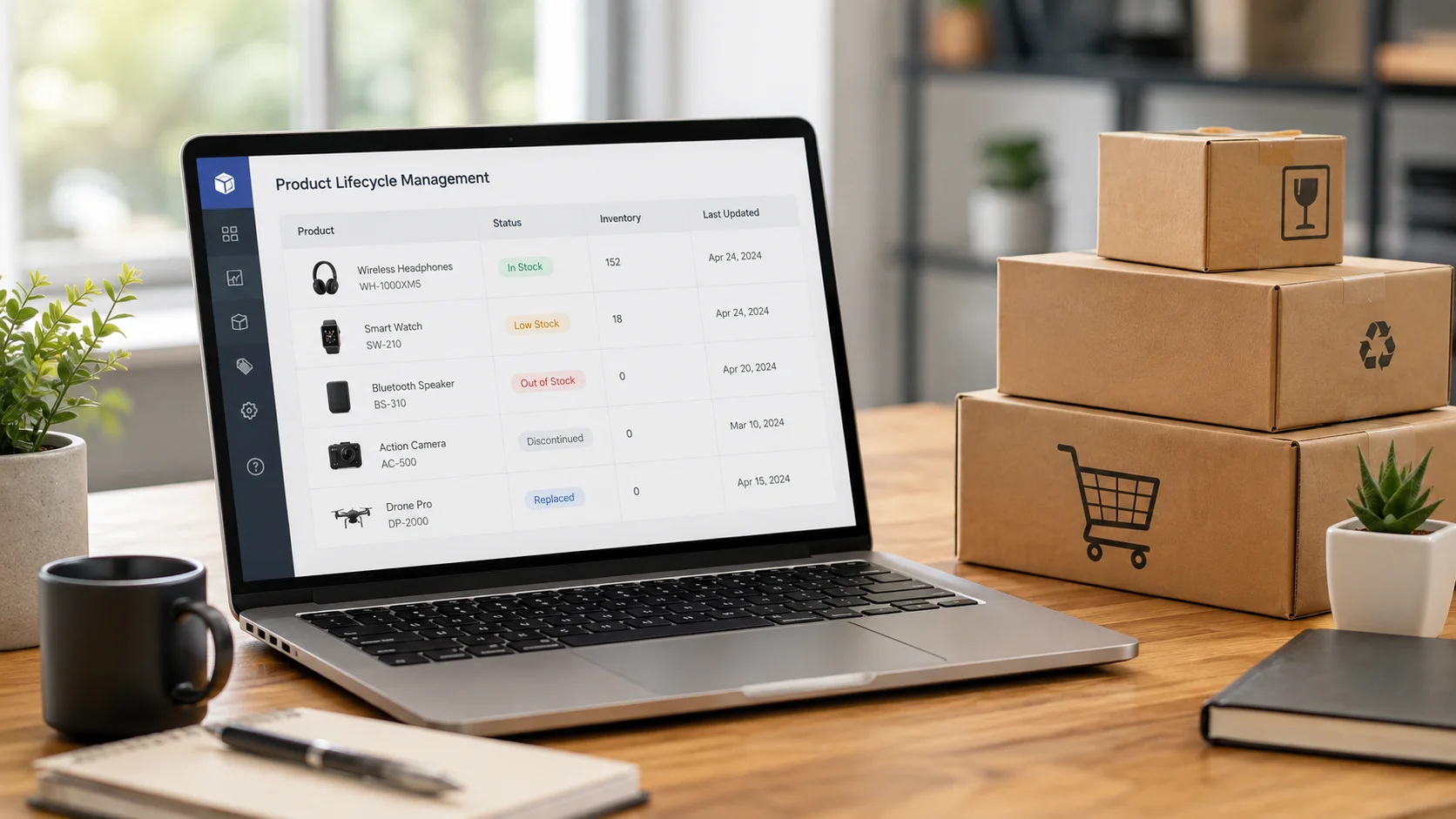
Scenario Introduction——For Operations, It's a Delisting; For AI, It Could Be a Sudden Disappearance of Product Information
I've observed that many cross-border e-commerce sites with rapid SKU turnover have a well-established product listing and delisting process: disable purchasing when out of stock, delist when discontinued, and delete old model URLs or redirect them to category pages when new models launch. From an inventory management standpoint, this is perfectly natural. But when viewed within the context of AI search, an additional question arises: after old products vanish from the official website, where do machines go to confirm they've been discontinued and identify which model should be recommended now?
This issue is particularly pronounced for cross-border brands in consumer electronics, home goods, tools & equipment, outdoor gear, auto parts, or smart hardware. The higher the product refresh rate and the shorter the SKU lifecycle, the more frequent the cycle of "old products exiting, new products entering" the official website becomes.
A product exiting the sales channel does not mean the search demand for that product disappears simultaneously.
Users may still ask in ChatGPT, Gemini, Google AI Mode, Perplexity, or Google AI Overview: "Is Model X discontinued?" "What replaces Model X?" "Is Model X still available?" "Model X vs new Model Y", or "What is the alternative to Model X?"
At this point, the traditional listing/delisting process answers the question, "Can this product still be purchased?" GEO, however, adds another dimension of judgment: after a product's status changes, does the brand's official website continue to consistently provide new status information that machines can read, verify, and understand?
Based on years of industry observation, the layer of information continuity is precisely what is often overlooked in SKU lifecycle management. The scenario also focuses the problem on three specific areas: deleting pages when stock runs out, conflicting discontinuation statuses, and missing relationships between old and new models, rather than simply discussing a 404 page in isolation.
Problem Diagnosis——The Real Issue Isn't "Is the Old Page Still There?" But Whether the Product Lifecycle Information Chain Has Been Broken
Breakpoint 1: Directly deleting out-of-stock products severs historical product information.
Suppose a product page has existed for a while, accumulating product descriptions, models, specs, images, reviews, links, and other search signals. Once inventory hits zero, operations might directly delete the page, causing the URL to return a 404.
From the e-commerce backend perspective, the SKU has completed its "delisting." But from an information expression standpoint, the brand's official website simultaneously loses a location that explains the product's current status.
The problem for machines becomes: Is this product temporarily out of stock, or has it been permanently removed from the market? If the official website doesn't provide further clarification, while third-party pages, old reviews, and dealer pages still retain historical information, discrepancies and time lags can emerge between different sources.
Breakpoint 2: Products are discontinued, but the official website still expresses they are "actively for sale."
Another common scenario is the opposite: the page isn't deleted, but the lifecycle status hasn't been updated.
For example, the description doesn't mention discontinuation, the price remains, and the purchase button is still active. The page might use Product/Offer structured data where the availability still indicates purchasable. In some cases, the top of the page might state "Discontinued," but the purchase module at the bottom still allows adding to cart.
The key issue here isn't whether Schema exists, but whether the different information layers are consistent. When the description, price, purchase entry point, and structured data coexist with conflicting product statuses, machines are faced with multiple contradictory sets of information.
Breakpoint 3: The old model disappears, but the new model lacks an "inheritance relationship."
If old Model X is discontinued and new Model Y launches, many websites handle this by deleting X and publishing Y, or by redirecting X's URL directly to a category page listing dozens of products.
The problem is that the official website fails to answer four crucial questions: What was the old model? Why was it discontinued? What is the new model? What changed between them?
For this scenario, our reasoning is: machines need to understand not two isolated SKUs, but a product iteration relationship. If the official website itself doesn't clearly express this relationship, we cannot assume AI will automatically connect the two models.
Judgment Logic——Don't Ask "Should the Page Be Deleted?" First Determine Which Lifecycle State the Product Is In
For issues like this, I wouldn't give a one-size-fits-all answer like "discontinued pages must be kept" or "out-of-stock pages must never be deleted." The first step is to determine which lifecycle state the product is actually in.
Category 1: Temporarily Out of Stock
First, determine if restocking is clearly planned for the future.
If it's just a temporary lack of inventory, the product entity itself hasn't left the market. In this case, it's usually more valuable to keep the original URL, product name, description, specs, images, and historical information while accurately expressing the current Out of Stock status, rather than removing the entire page from the site just because inventory is temporarily zero.
Category 2: Permanently Discontinued
Here, the question isn't "Can it still be sold?" but "Are there still people who need to look it up?"
A discontinued model might still correspond to needs like manual lookups, spec confirmations, compatible accessories, after-sales support, used product identification, and inquiries about "Is this model already discontinued?"
If these needs still exist, then "ceasing sales" and "the page losing its informational value" are two different things. In our methodology, for such pages, we typically first evaluate whether they still serve the purpose of explaining the historical product entity.
Category 3: Clear Product Replacement
If there's a highly corresponding new model, you need to establish a clear information chain:
Old Model → Discontinued Status → New Model → Key Changes → Compatibility or Use Case Changes.
Only when the old page's value as an independent entity is low, AND there's a strong correspondence between the old and new products, should you further evaluate using a 301 redirect. 301 should not be the default treatment for all discontinued SKUs.
So from a GEO perspective, the key isn't "Can the product still be sold?", but "Does this URL still serve to explain the product entity and its lifecycle status?"
Key Method Breakdown——Transforming "Listing/Delisting Management" into Machine-Readable Product Lifecycle Information
Method 1: Start by Categorizing Products into "Temporarily Out of Stock / Permanently Discontinued / Clearly Replaced"
The first step isn't changing code; it's auditing core SKUs. Start with high-traffic products, historically high-sales products, products with frequent model iterations, and old models that still have active search demand.
Temporarily out-of-stock products should usually keep their original URL and full information; permanently discontinued products that still have inquiry value should retain historical info and clearly state their status; clearly replaced products need new-old model relationships added. Only consider 301 when there's a highly corresponding new page and the old page offers little standalone value.
This step solves a very basic problem: prevent three completely different lifecycle states from being funneled into the same "delete when out of stock" process.
Method 2: Sync Inventory Status in Product / Offer
If the product page actually uses schema.org/Product and Offer, check if the availability accurately reflects the real product status. Where applicable, use the corresponding ItemAvailability state, such as OutOfStock or Discontinued.
However, Schema shouldn't be handled in isolation. Every time you modify the lifecycle status, I recommend checking four places together: Schema, page copy, price, and purchase entry points.
If the copy explicitly states "Discontinued" but the structured data still implies it's available for purchase, or the buy button still exists, further action is needed. Don't stop just because "the Schema has been updated."
Method 3: Retain Complete Historical Product Entity Information After Discontinuation
A discontinued page shouldn't just say "Product discontinued." If the original page already has product name, model, specs, use cases, images, descriptions, and related documents, consider keeping them based on the actual situation, and add a clear Discontinued status notice prominently on the page.
The reason is simple: consumers can't buy the old product anymore, but that doesn't mean they don't need to know what the old product was.
For example, a user might already own an old device and need to confirm accessory compatibility. If the brand's official website deletes all historical product information, machines will have a harder time obtaining verifiable information from the brand's own pages when answering questions about old models.
Method 4: Clearly Establish the "Old Model → New Model" Replacement Relationship
For SKUs that genuinely undergo product iteration, the old page, besides stating discontinuation, can include crawlable text like "Replaced by," "New generation," or "Compare with the new model" based on the actual product relationship, and provide internal links to the new product.
Furthermore, explain the differences in specs, feature updates, use case shifts, and compatibility between the old and new models.
For instance, if the new model isn't a complete replacement but only differs in power, interface, or compatible vehicle models, state that clearly. The goal of GEO is not to artificially create "replacement relationships," but to express the real product relationships more clearly.
Method 5: Establish Lifecycle GEO Query Monitoring
After fixing the pages, you need to verify that machines are starting to understand these changes correctly.
Select approximately 15–30 high-relevance queries centered around intents like discontinued, replacement, new model, still available, and alternative to. Examples include "Is X discontinued?", "What replaces X?", "What is the new version of X?", and "Is X still available?".
When monitoring, don't just check if the brand appears. Continuously evaluate: Does AI still describe the discontinued product as available? Does it identify the correct discontinuation status? Does it point to the correct replacement model? Does it confuse old and new products? And is the cited or referenced information consistent with the current status on the official website?
Monitoring and Iteration——Lifecycle GEO Tracks When "Outdated Answers Get Corrected"
Product lifecycle scenarios have a distinct difference from general brand mention monitoring: we care not only about "whether it appears," but also whether old information is gradually being replaced by new statuses.
In our methodology, these issues are typically investigated in the order of "incorrect answer → official website status → page copy → Schema → redirects → internal links."
- Incorrect Status: The product is discontinued, but AI still describes it as currently available for sale.
- Ambiguous Status: AI recognizes the model but cannot determine if it's temporarily out of stock or permanently discontinued.
- Missing Replacement Relationship: AI knows about the old and new models but doesn't establish a connection between them.
- Incorrect Replacement Product: AI provides a new model, but it isn't the true replacement for the old one.
- Outdated Sources: The information used by AI is inconsistent with the product status currently expressed on the official website.
Once issues are found, investigate whether the page copy has been updated, if Product/Offer is synchronized, if the old page retains valid information, if internal links clearly point to the new model, and if the current redirect is appropriate.
Lifecycle GEO isn't finished after updating a discontinuation status once. It requires continuous observation of how machines process old versus new information. Different AI search environments have varying rates of information retrieval and updates, so phased re-testing is more suitable here than expecting a single change to immediately alter all answers.
Typical Impact Range——From Status Conflicts to Machines Gradually Distinguishing Old and New Products
| Observation Dimension | Common State Before Optimization | Reasonable Direction Post-Optimization | Reference Timeline |
|---|---|---|---|
| Product Status Consistency | Conflicting out-of-stock or discontinued statuses between copy, buy button, and structured data | Core lifecycle pages can consistently express availability, out-of-stock, discontinued, or replaced statuses | Approx. 2–4 weeks |
| Historical Product Info Retention | Almost no verifiable information about old models on the official website after delisting | Key discontinued products retain model, specs, use cases, discontinuation notice, and provide paths to replacement products | Approx. 3–6 weeks |
| AI Understanding of Replacement Relationship | AI tends to describe old models as current products, or fails to grasp the relationship between old and new models | Some high-relevance queries begin to more consistently distinguish between old model, discontinued status, and the corresponding new model | Approx. 6–10 weeks |
| Lifecycle Query Performance | Queries like "Is X discontinued?" or "What replaces X?" yield outdated or vague answers | Some queries produce descriptions consistent with the official website's current status or cite relevant product pages | Usually approx. 8–12 weeks or longer |
These timelines are better suited as windows for observation and re-testing rather than promises of AI citation results. Site size, product count, page crawl rates, and the specific AI search environment can all influence actual change speed.
Reusable Action Checklist——8-Point GEO Self-Check for Out-of-Stock, Discontinued, or Replaced Products
- First, determine if the product is temporarily out of stock, permanently discontinued, or clearly replaced. Don't treat all cases as a simple "delisting."
- Don't delete historical pages for temporarily out-of-stock products just because of a short-term inventory issue. First, confirm if restocking is planned.
- Check if discontinued product pages still retain the product name, model, specs, use cases, images, documentation, and related product information.
- Check for consistency between the page copy, price, purchase entry point, and the inventory status indicated in Product/Offer structured data.
- For replaced products, clearly add crawlable relationship descriptions between the old and new models, and establish internal links.
- Review the site for the blanket practice of "redirecting all old products to category pages" and assess its appropriateness on a page-by-page basis.
- Establish around 15–30 lifecycle GEO queries based on keywords like discontinued, replacement, new model, still available, and alternative to.
- Based on AI's status errors, replacement errors, and source lag issues, trace back through copy, Schema, redirects, and internal links.
For Shopify, WooCommerce, Magento / Adobe Commerce, or custom-built cross-border e-commerce sites, this checklist doesn't necessarily need to cover all SKUs at once. A more practical approach is to start with a batch of core products that have high historical query value, are already discontinued, or have recently been replaced. Establish handling rules for these, then gradually expand to the entire product catalog.
Related Questions
1. Should I directly delete the page on my independent site when a product is out of stock?
If it's a temporary stock-out and restocking is planned, you typically don't need to delete the original page just because inventory is temporarily zero. It's more important to retain product information and ensure the page copy, purchase status, and structured data accurately reflect the current out-of-stock state.
2. Is it necessary to keep pages for permanently discontinued products?
It depends on whether the product still has query and informational value. If users are still searching for old model specs, documentation, compatible accessories, or replacement products, keeping complete historical product information along with a clear discontinuation notice is usually more beneficial for information understanding than leaving only a blank delisted page.
3. Should all discontinued products be 301 redirected to the new model?
It's not recommended to uniformly redirect all discontinued pages. Only evaluate a 301 when there's a strong correspondence between the old and new products and the old page's standalone informational value is low. If there's clear ongoing user demand for the old model, the old page itself might still serve an informational purpose.
4. How does Product Schema indicate that a product is out of stock or discontinued?
If the page uses Product and Offer schema, check properties like availability based on the true status, and use the corresponding ItemAvailability states where applicable, such as OutOfStock or Discontinued. Also, ensure the structured data is consistent with the page copy, price, and purchase entry points.
5. How can I help AI understand that a new model replaces an old one?
Add clear relationship descriptions like "Replaced by" or "New generation" on the old product page, link to the new product, and explain the changes in specifications, features, use cases, or compatibility. The key is not just creating a link, but ensuring the real relationship between the old and new models can be understood through the page copy.
6. After modifying discontinued pages and replacement relationships, how soon can I see changes in AI answers?
Initial adjustments to core lifecycle inventory, page status, Schema, and internal links can typically be implemented in about 2–4 weeks. For changes to appear in AI answers regarding old-new model relationships, continuous observation for about 6–12 weeks or longer is recommended. Actual speed can be affected by factors like page crawl rates, site size, and the specific AI search environment.
If your independent site has a high SKU turnover rate, start by selecting a batch of product pages that are already out of stock, discontinued, or have completed a product replacement. Check if your official website can still clearly explain what these products were, their current status, and what products are replacing them. Our team has years of hands-on experience in the GEO field. If you need further help evaluating old page retention, Schema implementation, redirects, and old-new model relationships, consider starting with a baseline diagnostic before deciding on the scope of subsequent optimization.